How to Track Amazon Prices and Find the Best Time to Buy in 2026


📌 Key Takeaways
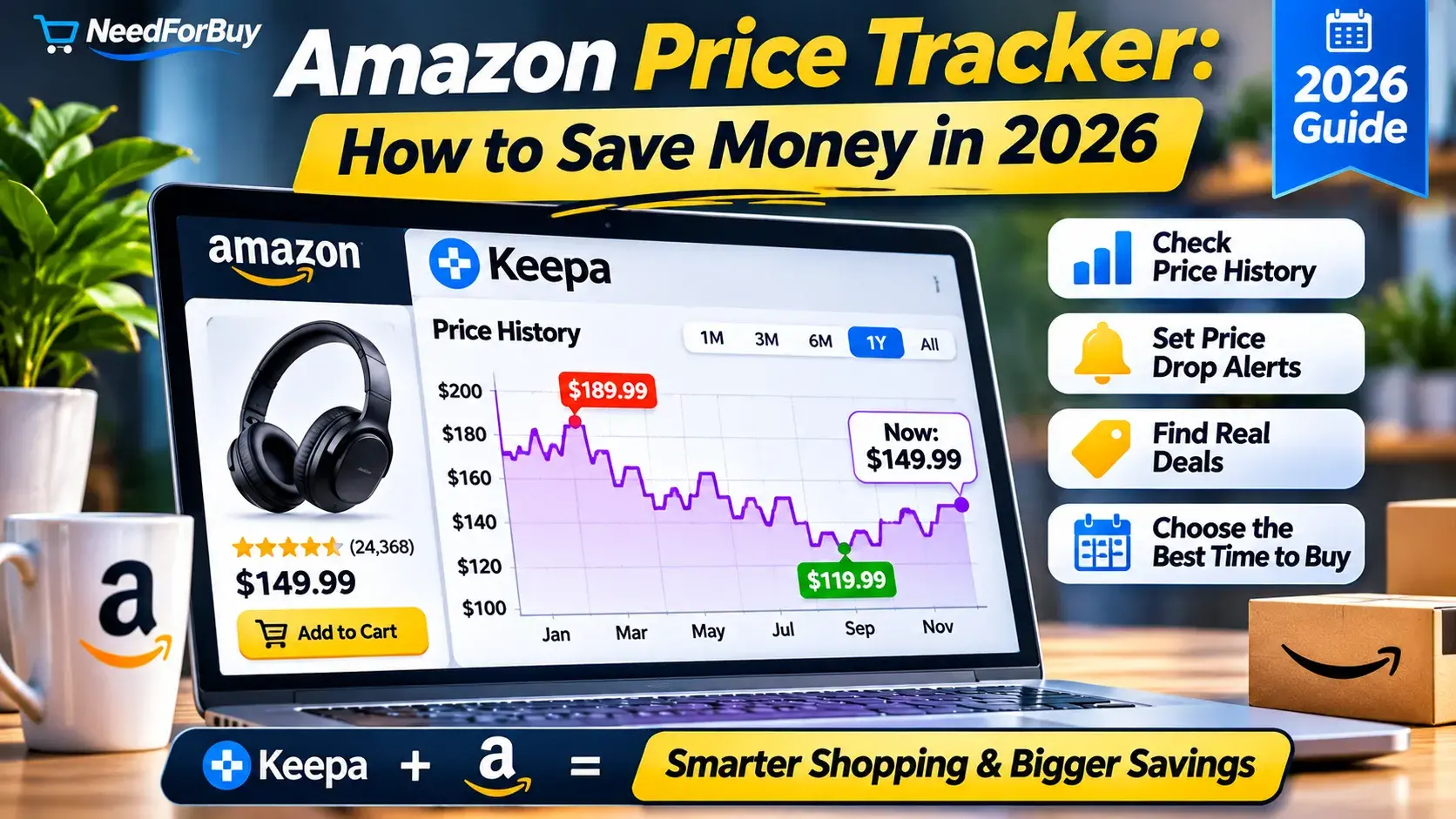
Have you ever purchased something on Amazon only to discover that its price dropped a few days later?
Or perhaps you’ve seen a product advertised at 40% off and wondered whether the discount was actually worth it.
Amazon prices can change frequently. A product that costs $129 today might sell for $99 next week—or return to $149 before a major shopping event.
Don't Miss


That’s why using an Amazon price tracker can make a significant difference to your shopping decisions.
Instead of relying on advertised discounts, you can examine historical prices, identify pricing patterns, and set alerts for products you want to purchase.
In this guide, we’ll explain how to track Amazon prices using Keepa, understand price history charts, compare current offers with previous prices, and determine when buying makes sense.
Ready to Save Big?
Explore our hand-picked deals and exclusive coupons today.
We’ll also introduce the NeedForBuy Amazon Price Tracker, which provides a convenient starting point for checking products before purchasing.
Affiliate disclosure: As an Amazon Associate, NeedForBuy earns from qualifying purchases. Some links in this article may generate commissions at no additional cost to you.
Quick Answer: How Can You Track Amazon Prices?
The easiest way to track Amazon prices is to use a price history service such as Keepa or CamelCamelCamel.
These tools help you examine historical prices and, where supported, receive notifications when prices reach your preferred level.
Here’s the basic process:
- Find the product you want on Amazon.
- Copy its product URL or ASIN.
- Open a compatible Amazon price tracker.
- Examine the product’s historical price chart.
- Compare the current price with previous lows.
- Set a price alert if the product is too expensive.
- Purchase when the price and other buying conditions make sense.
Our recommendation: Don’t purchase a product simply because Amazon displays a discount. Check its price history first.
1. What Is an Amazon Price Tracker?
An Amazon price tracker is a tool that monitors product prices over time.
Instead of showing only today’s price, it provides historical information that helps you understand how much a product has cost in the past.
Depending on the service and available data, a tracker may display:
- Historical Amazon prices.
- Third-party seller prices.
- Used-product pricing.
- Price increases and decreases.
- Historical low prices.
- Price-drop notifications.
- Product availability information.
This information is particularly useful for expensive purchases such as laptops, headphones, monitors, kitchen appliances, and smart-home devices.
Why Amazon Price Tracking Matters
Imagine you’re considering a wireless headset listed at $149.
Amazon displays a previous reference price of $199.
At first glance, that looks like an attractive discount.
But what if the headset has regularly sold for $129 during the previous three months?
The advertised discount may be less compelling than it appears.
Historical pricing helps put the offer into context.
For more strategies, read our 10 Rules for Smart Online Shopping.
2. What Is Keepa and How Does It Work?
Keepa is a price-tracking service focused on Amazon products.
It collects and organizes historical marketplace data, allowing shoppers to examine pricing patterns through interactive charts.
Keepa is especially useful for understanding how prices have changed over weeks, months, or longer periods.
Main Keepa Features
Price history charts
Keepa displays historical price information for supported Amazon listings.
Multiple price categories
Depending on the product and marketplace, charts can distinguish Amazon offers, third-party seller prices, and used-product prices.
Price-drop alerts
Users can configure tracking notifications when a product reaches a selected target price.
Browser integration
Keepa offers browser extensions that can display price-history information while browsing supported Amazon product pages.
Advanced product information
Some additional features and data access options require a paid subscription.
Availability of individual features may change, so check Keepa’s current documentation.
Is Keepa Free?
Keepa provides useful price-history functionality without requiring every shopper to purchase a subscription.
However, advanced data and certain features are restricted to paid plans.
For most casual shoppers, basic historical price information is a good starting point.
3. How to Track Amazon Prices Using NeedForBuy
NeedForBuy provides a dedicated page for exploring Amazon price history and accessing external tracking services.
Step 1: Open the Price Tracker
Visit the NeedForBuy Amazon Price Tracker.
The page includes an input field for an Amazon product URL or ASIN, a product-price visualization area, and links to related tracking services.
Step 2: Find a Product on Amazon
Visit Amazon and search for the item you’re considering.
For example, you might want to monitor:
- Wireless headphones.
- Robot vacuum cleaners.
- Computer monitors.
- Coffee machines.
- Smartwatches.
Choose the exact model, storage capacity, color, and configuration you intend to purchase.
Different variations can have different price histories.
Step 3: Copy the Amazon Product URL or ASIN
An ASIN is an Amazon Standard Identification Number.
It is commonly a 10-character identifier assigned to a product listing.
You can often find it in the product details section or within the Amazon URL.
A typical product URL might contain:
amazon.com/dp/B012345678
This is a fictional example for illustration.
Step 4: Load the Product
Paste the URL or ASIN into the NeedForBuy tracker and select Load product.
Review the information displayed for the selected product.
If a chart is unavailable or data cannot be retrieved, use the provided Keepa link to investigate the product directly.
Step 5: Examine the Price History
Look for meaningful patterns rather than reacting to a single low-price point.
Ask yourself:
- Is today’s price close to the historical low?
- Has the price been declining recently?
- Does the product frequently receive discounts?
- Is the current offer from Amazon or a third-party seller?
- Is the price history long enough to draw a useful conclusion?
Step 6: Decide Whether to Buy or Wait
If the current price is attractive relative to the product’s recent history, buying may make sense.
If the price is unusually high and the purchase isn’t urgent, consider waiting.
Try it now: Check Amazon Price History on NeedForBuy.
4. How to Read a Keepa Price History Chart
A Keepa chart can look complicated when you first open it.
However, understanding a few basic elements makes it much easier to use.
Amazon Price
The Amazon price series represents offers sold by Amazon where that data is available.
It helps distinguish Amazon’s own pricing from other marketplace sellers.
Third-Party Seller Prices
Amazon also hosts independent merchants.
Their prices may differ significantly from Amazon’s own offers.
Some charts distinguish between new and used third-party offers.
Used Product Prices
Used-product pricing can be helpful when comparing refurbished or secondhand alternatives.
However, condition, warranty, and seller reliability must be considered.
Historical Time Ranges
Keepa supports examining price history across different periods.
Shorter time ranges can reveal recent fluctuations, while longer periods may help identify seasonal patterns.
Reading the Overall Trend
Consider three basic situations:
| Price pattern | Possible interpretation | Suggested action |
|---|---|---|
| Price near historical low | Potentially attractive offer | Verify seller and total cost |
| Price significantly above recent average | Product may be relatively expensive | Consider waiting |
| Price declining steadily | Further reductions are possible | Monitor and set an alert |
| Price rising before a sale | Previous reference prices may be less useful | Compare longer-term history |
| Limited historical data | Not enough evidence | Compare other retailers |
A chart cannot guarantee future prices.
It simply helps you make decisions using historical information rather than guesswork.
5. How to Know Whether an Amazon Deal Is Actually Good
One useful approach is to compare the current price with a representative historical price.
Example: Wireless Headphones
Imagine the following fictional price history:
| Period | Price |
|---|---|
| Three months ago | $179 |
| Two months ago | $159 |
| Last month | $139 |
| Two weeks ago | $149 |
| Today | $119 |
The current price is $119, compared with $139 last month.
That represents a reduction of approximately 14.4%.
This may be a genuinely attractive offer, particularly if the product is from a reliable seller and the historical data is representative.
Calculate the Price Difference
Use the formula:
Price Reduction (%) = (Reference Price − Current Price) ÷ Reference Price × 100
For example:
($139 − $119) ÷ $139 × 100 = 14.4%
The reference price should be chosen carefully.
Comparing today’s price only with an unusually high historical price can exaggerate the apparent savings.
Our Practical Buying Rule
Rather than looking for the lowest recorded price ever, consider whether the current offer is competitive with typical recent prices.
A historical minimum may have occurred during a brief promotion that never returns.
The objective is to find a good purchase opportunity—not to predict the market perfectly.
6. How to Set Amazon Price Drop Alerts With Keepa
Price alerts are one of the most useful features of tracking services.
Instead of checking a product every day, you can configure a notification when its price reaches your preferred level.
Step-by-Step Instructions
- Open Keepa.
- Find the Amazon product you want to track.
- Open the product’s tracking options.
- Choose a target price.
- Configure the available notification settings.
- Save the tracking request.
- Review the alert when the price reaches your target.
Account requirements and notification channels may vary.
How to Choose Your Target Price
Suppose a product currently costs $199.
Its recent price history shows that it has frequently sold between $149 and $179.
You might set a target price of $159.
If the product falls to that level, you can evaluate the offer.
Don’t Set Unrealistic Alerts
If a product has never sold below $250, setting a target of $99 may not be practical.
Use historical data to choose a reasonable price.
7. Keepa vs CamelCamelCamel: Which Amazon Price Tracker Is Better?
Keepa and CamelCamelCamel are two widely recognized Amazon price-tracking services.
Both can help shoppers make more informed purchasing decisions.
| Feature | Keepa | CamelCamelCamel |
|---|---|---|
| Amazon price history | Yes | Yes |
| Price-drop alerts | Yes | Yes |
| Browser extension | Yes | Yes |
| Advanced historical data | Extensive options | More focused experience |
| Paid advanced features | Yes | Generally positioned as a free consumer tracker |
| Best suited for | Detailed price analysis | Straightforward tracking |
When to Choose Keepa
Keepa is particularly useful when you want more detailed charts and additional marketplace data.
It may appeal to frequent Amazon shoppers and people comparing expensive products.
When to Choose CamelCamelCamel
CamelCamelCamel is a practical alternative for shoppers who want a straightforward way to examine price history and configure alerts.
Our Recommendation
Try both services and choose the interface that works best for your needs.
For convenient access, NeedForBuy’s Amazon Price Tracker includes links to both tracking options.
8. When Is the Best Time to Buy on Amazon?
There is no single date that guarantees the lowest Amazon price.
However, major promotional events can create opportunities.
Amazon Prime Day
Prime Day promotions may include discounts on electronics, Amazon devices, home products, and other categories.
Not every item reaches its lowest price during Prime Day.
Always compare promotional offers with historical data.
Black Friday
Black Friday is another important shopping period.
It can be especially useful for electronics, household appliances, and gift purchases.
However, the size of an advertised discount does not necessarily indicate the quality of the deal.
Cyber Monday
Cyber Monday often features additional online promotions.
Some products may be cheaper than during Black Friday, while others may not.
Seasonal Clearance
Retailers may reduce prices when introducing new models or clearing older inventory.
This can create opportunities for shoppers who don’t require the newest generation.
Product Launch Cycles
When a new product generation arrives, older models sometimes become less expensive.
For example, previous-generation headphones or smartwatches may offer better value after newer models are introduced.
Important: Historical seasonal patterns are not guarantees of future discounts.
9. Five Common Mistakes When Tracking Amazon Prices
Mistake 1: Looking Only at the Advertised Discount
A large percentage discount doesn’t always mean a product is inexpensive.
Compare the current price with actual historical selling prices.
Mistake 2: Ignoring Third-Party Sellers
An unusually low price may come from a seller with limited feedback or different warranty conditions.
Always check who is selling and fulfilling the order.
Mistake 3: Comparing Different Product Variations
A 128 GB smartphone and a 256 GB version are not identical products.
Make sure your price comparison uses the exact model.
Mistake 4: Waiting Forever for the Absolute Lowest Price
The lowest historical price may never return.
If the current offer is reasonable and you need the product, purchasing can be more practical than waiting indefinitely.
Mistake 5: Forgetting the Total Purchase Cost
Shipping, taxes, import fees, and membership requirements may affect the final price.
Always check the full checkout amount.
For additional advice, read 10 Rules for Smart Online Shopping: How to Save Money and Avoid Scams.
10. Can Amazon Price Tracking Really Save You Money?
Yes, price tracking can help you identify better purchasing opportunities.
However, the savings depend on the product, your timing, and the availability of discounts.
Consider a hypothetical example:
| Product | Initial price | Later price | Potential savings |
|---|---|---|---|
| Wireless headphones | $179 | $139 | $40 |
| Coffee machine | $249 | $199 | $50 |
| Computer monitor | $329 | $279 | $50 |
| Robot vacuum | $399 | $319 | $80 |
| Total | $1,156 | $936 | $220 |
These figures are illustrative, not verified historical Amazon prices.
In this scenario, waiting for better offers could save $220 across four purchases.
But the calculation assumes those later prices become available and the shopper can wait.
Price tracking is most useful when it supports purchases you already intended to make.
Buying unnecessary products because they are discounted does not save money.
11. Combine Price Tracking With Marketplace Comparisons
Amazon isn’t always the least expensive option.
Before purchasing generic accessories or everyday household products, consider comparing prices across other marketplaces.
For example:
- Amazon may offer faster shipping.
- AliExpress may offer lower item prices.
- Temu may offer competitive prices on inexpensive household goods.
- eBay may offer savings on used or refurbished products.
The right choice depends on the total cost, delivery requirements, product condition, and buyer protection.
Read our Amazon vs AliExpress Comparison to understand how the two marketplaces differ.
For a broader shopping strategy, explore NeedForBuy and its comparison guides.
12. Our Recommended Amazon Price Tracking Strategy
For most shoppers, we recommend a simple five-step process.
Step 1 — Identify the exact product.
Check the model number, specifications, and seller.
Step 2 — Examine the price history.
Use Keepa or another tracking service to understand recent price fluctuations.
Step 3 — Establish a reasonable target.
Choose a price based on historical information and your budget.
Step 4 — Set an alert if necessary.
Let the tracking service notify you when the product becomes more affordable.
Step 5 — Verify the final offer.
Check seller reputation, warranty, delivery, and total checkout cost before buying.
This approach reduces impulse purchases and helps you focus on genuine value.
Final Verdict: Is Keepa Worth Using in 2026?
For anyone who regularly shops on Amazon, Keepa is worth considering.
Its historical price information can help shoppers recognize price fluctuations, evaluate advertised discounts, and identify potentially better buying opportunities.
However, no tracker can guarantee that a product will become cheaper tomorrow.
Use price history as a decision-making tool, not a prediction system.
The best time to buy is when the product meets your needs, the seller is reliable, and the total price represents good value for your budget.
Ready to check a product?
Explore the NeedForBuy Amazon Price Tracker
Compare historical pricing, explore tracking tools, and make a more informed purchase decision.
Frequently Asked Questions
What is the best Amazon price tracker?
Keepa is a strong option for detailed historical price analysis. CamelCamelCamel is another useful service for straightforward price tracking and alerts. The best choice depends on the features you need.
Is Keepa free to use?
Keepa offers access to some price-tracking functionality without a paid subscription. Certain advanced features and data access options require payment.
Can I see Amazon price history?
Yes. Services such as Keepa and CamelCamelCamel provide historical pricing information for supported Amazon products.
How do I get notified when an Amazon price drops?
Use a tracking service that supports price alerts. Select the product, configure a target price, and enable the available notification options.
Does Amazon change prices every day?
Some Amazon product prices change frequently, while others remain stable for extended periods. The frequency depends on the product, seller, competition, and other factors.
Is Amazon cheaper on Prime Day?
Some products receive substantial discounts during Prime Day, but not every Prime Day offer represents a historical low. Check price history before purchasing.
Can Keepa predict future Amazon prices?
No. Keepa provides historical information and tracking features, but past pricing does not guarantee future price movements.
Can I track prices without an Amazon Prime membership?
Yes. External price-tracking services can provide historical information without requiring an Amazon Prime membership, although individual features may have their own requirements.
Editorial note: This article provides general guidance about Amazon price-tracking tools. Numerical examples are hypothetical. Features, subscription terms, and marketplace conditions may change. Verify current information before making purchasing decisions.
Affiliate disclosure: As an Amazon Associate, NeedForBuy earns from qualifying purchases. Eligible affiliate links may generate commissions without increasing your purchase price.
Frequently Asked Questions
Is it safe to buy from AliExpress?
How can I save more on Amazon?
Get the Best Deals First
Join our newsletter and never miss a hot discount or a smart guide again.
You May Also Like
Amazon vs AliExpress vs Temu vs eBay: Which Is Best in 2026?

10 Rules for Smart Online Shopping: How to Save Money and Avoid Scams

How to Shop Online Smarter in 2026: Complete Beginner’s Guide